 Trusted Since 2001





Quick Summary
Key points
- Every panic bar breaks down into the same five groups: the touchpad or crossbar, the center case, the rail and baseplate, the end cap, and the latch assembly.
- A parts diagram is read from the center outwards. The center case is where the mechanism lives, and almost everything else hangs off what the center case does.
- The device type changes the latch group and nothing else. Rim, surface vertical rod, concealed vertical rod and mortise devices share most of the rail hardware.
- Dogging parts fail more than anything else on a panic bar, because they are used daily and the socket or the cylinder takes the wear.
- Almost every item on the diagram is stocked individually, so a damaged device is normally a parts order rather than a replacement device.
| Group | Where it sits | What it does |
|---|---|---|
| Touchpad or crossbar | Across the face of the door | The surface the user pushes |
| Center case | Middle of the device | Holds the mechanism and the dogging |
| Rail and baseplate | Full width of the device | Carries the device and fixes it to the door |
| End cap | Hinge end of the rail | Closes the rail and anchors that end |
| Latch assembly | Latch end, top or bottom | Engages the strike or the frame |
In This Guide
- What Are the Main Parts of a Panic Bar?
- What Does the Center Case Do?
- What Is Inside the End Cap?
- How Does the Latch Assembly Work?
- What Is Dogging and Which Parts Control It?
- Why Does the Touchpad Feel Loose or Noisy?
- Which Panic Bar Parts Fail Most Often?
- How Do You Identify a Part From a Diagram?
- About the Author
Panic bar parts diagrams look intimidating because they show fifty numbered items on one page. In practice the device only has five groups, and once you can place a part into its group the diagram stops being a wall of numbers.
This guide walks through those groups in the order a diagram is normally laid out, explains what each one does, and covers how the picture changes between device types.
What Are the Main Parts of a Panic Bar?
A touchpad or crossbar, a center case, a rail with a baseplate, an end cap, and a latch assembly. Everything else on the diagram is a fixing, a spring, a cover or a bracket serving one of those five.
The sequence matters because that is how the force travels. A user pushes the touchpad, the touchpad drives the mechanism in the center case, the center case pulls the latch, and the latch leaves the strike. The rail and end cap hold the whole assembly on the door while that happens.
What does the rail and baseplate group do?
The baseplate is the plate that fixes to the door face, and the rail is the cover that runs along it. Between them they carry the device, set how far it stands off the door, and give the touchpad something to react against.
It is the group people ignore on a diagram, and the group that quietly causes the most puzzling faults. Baseplate screws that have worked loose let the whole device move a fraction every time the bar is pushed, which shows up as a latch that retracts fully one day and not the next. Checking that the baseplate is tight against the door is a thirty second job that saves a long diagnosis.
Is a panic bar the same as an exit device?
Panic bar is the common name, exit device is the term used in product literature, and in everyday use they refer to the same hardware. There is a meaningful distinction in how devices are labelled and listed for different applications, which our exit device and panic bar comparison covers in detail.
What Does the Center Case Do?
It is the gearbox. The center case takes the movement of the touchpad and converts it into the pull that retracts the latch, and on most devices it also houses the dogging mechanism.
Because the mechanism lives there, the center case is the part that determines what the device can do. Dogging, cylinder dogging, alarm modules and electrified retraction all attach to or sit inside this group. That is why two devices with identical rails can behave completely differently.
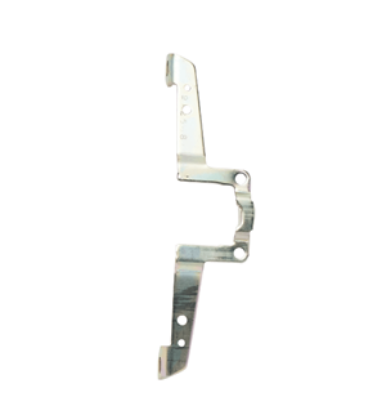
Why is the center case reinforced?
Because it carries the concentrated load. A rail spreads force across the door, but the center case takes the whole pull of the latch mechanism at one point. Reinforcing brackets exist to transfer that load into the door rather than leaving it on the baseplate fixings.
On a door that is kicked, barged or propped regularly, the reinforcement is the part that keeps the center case flat against the door. A center case that has started to lift is the early warning of a device that will fail entirely.
What Is Inside the End Cap?
Less than people expect, and that is the point. The end cap closes the hinge end of the rail, anchors the rail to the door and keeps the internal components enclosed.
It is also the part most likely to be damaged, because it sits at the end of a long lever and takes impacts from trolleys, furniture and the wall. Impact resistant versions exist specifically for openings where that is routine.
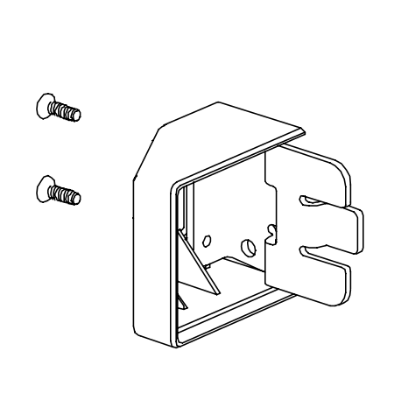
Does a missing end cap matter?
Yes, on two counts. It exposes the internals of the rail to dirt and interference, and it removes an anchor point, which lets the rail flex when the touchpad is pushed. A device with a flexing rail will eventually stop retracting the latch fully.
How Does the Latch Assembly Work?
The latch is pulled back by the mechanism, held back while the touchpad is depressed, and sprung forward again when the touchpad releases.
Three components do that work: the latch itself, the latch tail that connects it to the mechanism, and the spring that returns it. All three are stocked separately, and the spring is usually the first to go.
A latch that retracts but returns slowly is a spring. A latch that retracts partially is usually the tail or the linkage. A latch that does not move at all with a working touchpad is a center case fault.
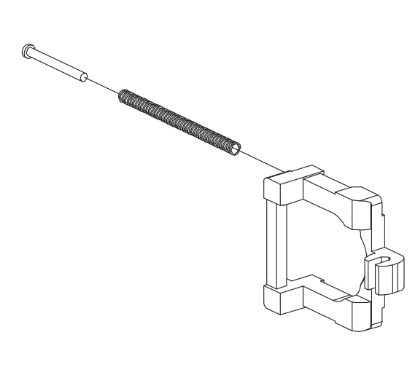
Why does the latch group change between devices?
Because the latch has to reach something different. A rim device latches into a strike on the frame. A surface vertical rod device drives rods up and down to latch at the head and sill. A concealed vertical rod device does the same with the rods inside the door. A mortise device drives a lock case in the door edge.
Everything from the touchpad to the center case is largely common across those four. The latch group is where they diverge, which is why diagrams for different device types look similar until the right hand end. Our concealed vertical rod guide covers the most complex of the four.
What Is Dogging and Which Parts Control It?
Dogging holds the touchpad depressed and the latch retracted, so the door becomes push and pull during the hours the building wants it open.
Two methods are common. Hex dogging uses a hex key in a socket to drive a shaft that holds the mechanism. Cylinder dogging uses a keyed cylinder to do the same job, so only key holders can set it.
| Method | How it is set | Parts that wear |
|---|---|---|
| Hex dogging | Hex key in a socket | Shaft, socket, spring and guide |
| Cylinder dogging | Keyed cylinder | Cylinder, cam, plug and bracket |
| Electric latch retraction | Signalled from the panel | Motor, cable and harness |
| No dogging | Not fitted | Plug fills the socket position |
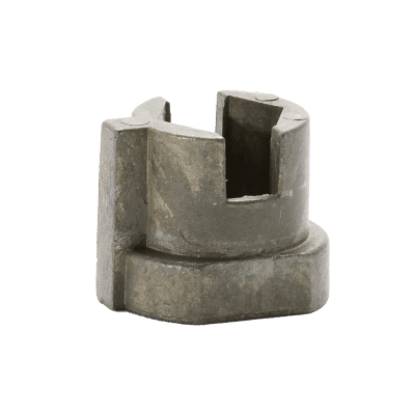
Can a device be converted between dogging types?
Often, using a conversion kit. Moving from hex to cylinder dogging is a common request on sites that want to stop staff dogging doors informally, and the conversion is a parts order rather than a new device. The reverse conversion also exists.
One point worth confirming first: dogging is not permitted on every opening. A fire rated opening has to latch, so a dogged device on a fire door is a defect rather than a convenience.
Why Does the Touchpad Feel Loose or Noisy?
Usually because of what sits behind it rather than the pad itself.
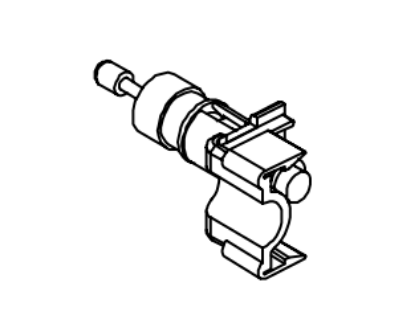
The touchpad travels every time somebody uses the door, and it stops against the body of the device at the end of that travel. Shock absorbing components take that impact. When they fail, the pad bottoms out metal against metal, which is both the noise people report and a load path into the mechanism that was never intended.
Is a noisy panic bar a safety problem?
Not in itself, but it is a sign of wear that eventually becomes one. A touchpad that has lost its cushioning transmits full impact into the linkage every cycle, and on a busy door that is hundreds of impacts a day. Fixing it at the noise stage is far cheaper than fixing it at the failure stage.
Which Panic Bar Parts Fail Most Often?
In rough order: dogging components, end caps, springs, touchpad cushioning, and latch tails.
| Part | Symptom | Usual cause |
|---|---|---|
| Dogging shaft or socket | Hex key slips, will not hold dogged | Daily use, worn socket |
| End cap | Loose, missing or cracked | Impact at the hinge end |
| Latch spring | Latch returns slowly or not fully | Fatigue |
| Shock absorber | Loud bar, hard stop at the pad | Wear from cycling |
| Baseplate screws | Rail lifts off the door | Loosening under load |
None of those require a new device. For the full Von Duprin component listing, our Von Duprin panic bar parts guide and 98 and 99 Series parts guide set the numbers against the groups described here.
What about double doors?
A pair of doors adds the mullion or the overlapping astragal arrangement to the picture, and with it another set of parts that can fail independently of the devices. Our mullion guide covers the removable mullion, which is the most commonly misdiagnosed component on a pair.
How Do You Identify a Part From a Diagram?
Place it in its group first, then match the shape, then confirm the series.
Group narrows the field from fifty items to about eight. Shape narrows it further. The series then decides which of the remaining candidates is the correct number, because the same looking bracket exists in several series with different numbers.
What if the device series is unknown?
Read the stamping, usually found on the baseplate under the rail or on the end cap. If the device has been painted over, the dimensions of the center case and the type of latch group between them identify the family in most cases.
Photographs are worth more than descriptions here. A picture of the device on the door, a second of the latch end, and a third of any visible stamping will usually settle it. Our panic bar selection guide covers how the series are distinguished, and the exit device installation guide covers the mounting arrangement that the diagram assumes. If you are starting from the user side rather than the parts side, our crash bar overview is the better starting point, and panic hardware on commercial doors covers where these devices are required.
About the Author
Security Parts has supplied repair parts for commercial door hardware since 2001, covering Von Duprin, LCN, Schlage, Falcon, Detex and Adams Rite at the component level. Our diagram based lookup exists so a technician can confirm a part before ordering it. This guide was written by the Security Parts team from supplier documentation and the questions our customers bring us.