 Trusted Since 2001





Quick Summary
Key points
- A proximity card reader reads a credential held near it and sends the result to a controller. It does not decide anything itself and it does not lock or unlock the door.
- Readers are chosen by mounting as much as by technology. Mullion mount, wall mount and mini mullion are different bodies doing the same job in different spaces.
- Multi technology readers accept more than one card format, which is what makes a credential migration possible without changing every reader on day one.
- Which card technologies a reader accepts can be changed in the field with configuration cards rather than by swapping hardware.
- A reader with a keypad turns one factor into two, because the user has to present something and know something.
| Function | Reader | Controller |
|---|---|---|
| Reads the credential | Yes | No |
| Decides whether to grant access | No | Yes |
| Releases the lock | No | Yes, through the lock hardware |
| Holds the list of who is allowed in | No | Yes |
In This Guide
- How Does a Proximity Card Reader Work?
- Mullion, Wall or Mini: Why Mounting Decides the Part
- What Is a Multi Technology Reader and Why Does It Matter?
- How Do You Change Which Card Technologies a Reader Accepts?
- When Should a Reader Have a Keypad?
- What Does a Reader Need to Be Wired To?
- Why Reader Covers Are Ordered Separately
- What Goes Wrong With Card Readers?
- The Reader Is Only Half of a Monitored Door
- What to Confirm Before Ordering a Reader
- About the Author
The reader is the part of an access control system everybody sees and the part that does the least thinking. Understanding that split explains most of what is confusing about specifying one.
This guide covers what a proximity reader actually does, how mounting and technology are separate decisions, and what to confirm before ordering. For how the reader fits into the rest of the opening, see our access control and door hardware integration guide.
How Does a Proximity Card Reader Work?
A proximity reader emits a field. When a card or fob enters that field, the credential draws enough energy from it to power itself and transmit its number back. The reader picks up that number and passes it on.
Two things follow from that and both matter in practice.
First, the credential has no battery. It is powered entirely by the reader's field, which is why a card works for years and why it stops working at a distance. Range is a property of the field, not of the card.
Second, the reader is not making a decision. It reads a number and sends it to the controller. The controller holds the list of who is permitted, checks the number against it, and decides whether to release the door. If the door does not open, the reader is usually not the thing that refused.
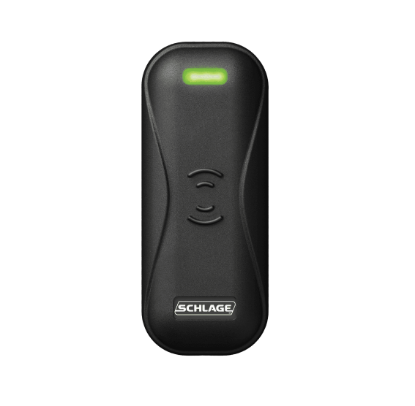
Mullion, Wall or Mini: Why Mounting Decides the Part
Readers performing the same function come in different bodies, and the body is chosen by where it has to live.
| Mounting | Shape | Where it goes |
|---|---|---|
| Mini mullion | Narrowest body | Narrow stile frames and mullions with very little width |
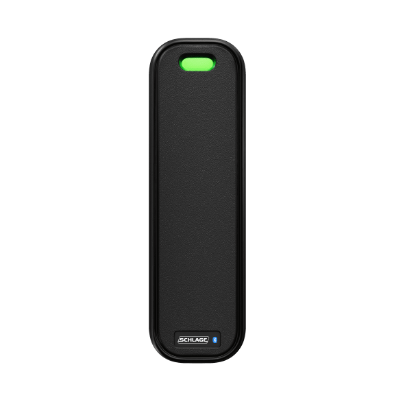
| Mullion mount | Tall and narrow | The vertical mullion between a pair of glazed doors |
| Wall mount | Wider, often single gang | A wall beside the door, where there is room |
| Wall mount with keypad | Larger again, keys plus read area | Where a PIN is required as well as a card |
| Reader module | Component rather than finished unit | Built into another assembly |
Mullion readers exist because storefront doors leave almost nowhere to put anything. The mullion between the leaves is often the only vertical surface near the handle, and it is narrow, so the reader is built to match.
This is also why ordering goes wrong. The technology is identical across several of these, so somebody orders the wrong body and it physically will not fit the only place it can go.
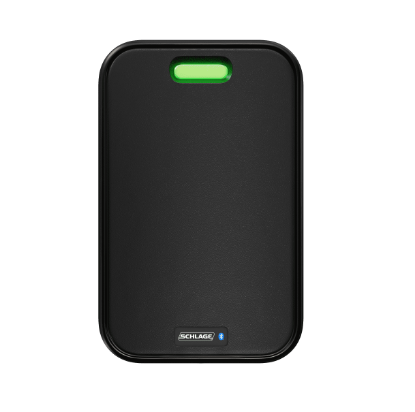
What Is a Multi Technology Reader and Why Does It Matter?
Card technologies are not one thing. Older proximity formats, smart card formats and various proprietary schemes all exist in the same buildings, usually because the estate was built over decades.
A multi technology reader accepts more than one of those formats at the same reader. That turns an impossible migration into a manageable one.
Without it, changing credential technology means changing every reader and every card on the same weekend, because a reader that only understands the old format cannot read a new card and vice versa. With multi technology readers, you change the readers first, keep issuing old cards while both work, then switch credentials at your own pace and turn the old format off at the end.
That is why multi technology units dominate current ranges, and why the stocked line includes plain multi technology readers, keypad versions, mullion and wall bodies, and government specification variants built to federal credential requirements.
Reader Modules Versus Finished Readers
Some products in the range are described as reader modules rather than readers. A module is the reading electronics intended to be built into another assembly, rather than a finished unit with its own housing. If you are replacing something on a wall, you want the finished reader. If you are servicing an integrated product, you may want the module.
How Do You Change Which Card Technologies a Reader Accepts?
This is the part most people do not know exists, and it saves a surprising amount of trouble.
On multi technology readers, the set of card formats the reader will accept is configurable. Rather than returning the unit or editing anything in software, the change is made by presenting a configuration card to the reader.
The stocked range includes cards that enable all proximity card technologies, cards that disable all of them, and cards that turn individual technologies on or off one at a time. There are also configuration cards covering card serial number bit lengths.
Why that matters: a reader that accepts every format it can is convenient and is also reading credentials you may not want accepted. Turning off the technologies a site does not use narrows what will open the door. It also stops a reader responding to a visitor's card from an unrelated system, which is the sort of thing that generates confusing access logs rather than a real breach.
Keep the configuration cards with the site records. They are small, they look like ordinary cards, and a reader that has been reconfigured by somebody who then left is a puzzle nobody enjoys.
When Should a Reader Have a Keypad?
A card on its own is something you have. Anyone holding the card is treated as the person it belongs to, which is fine for most doors and inadequate for some.
Adding a keypad adds something you know. The user presents a credential and enters a PIN, so a lost or borrowed card is not enough on its own. Most ranges offer a keypad version of the same reader body, so the decision does not change the mounting.
Where that is usually worth it:
- Server rooms, comms rooms and plant spaces.
- Cash handling and stock rooms.
- Doors that are rarely used, where a missing card may not be noticed for weeks.
- Out of hours access on a door that is open to card only during the day.
Where it usually is not: high traffic main entrances, where a PIN at every entry creates a queue and encourages people to hold the door for each other, which defeats the whole arrangement.
What Does a Reader Need to Be Wired To?
A reader needs power and a data path back to the controller, and in most installations those run in the same multi conductor cable.
Three practical points come up on nearly every job.
- Metal affects range. Mounting a reader directly on a metal mullion or frame changes its field. Readers intended for mullion mounting are designed with that in mind, which is another reason to use the right body rather than the one that fits.
- Cable runs have limits. Readers are rated for a maximum distance to the controller, and exceeding it causes intermittent reads that look like a faulty reader.
- Keep reader cable away from lock power. The lock circuit switches a relatively large current, and running it alongside the reader data pair is a reliable way to create faults that come and go.
The lock itself is a separate decision from the reader. For what releases the door once the controller says yes, see our comparison of an electrified mortise lock versus an electric strike and our electromagnetic lock parts guide.
Why Reader Covers Are Ordered Separately
On several readers the outer cover is a separate part number with its own colour, and this catches people out on a replacement.
The stocked covers come in a range that includes black, cream, warm tone brown and cool tone gray, and they are specific to the reader body and gang size. A single gang cover is not a double gang cover, and a cover for one reader family will not clip onto another.
Two situations where this matters. The first is damage: a cracked cover does not mean a new reader, it means a cover. The second is appearance: a reader replaced like for like in function can look wrong on the wall if the cover colour was chosen to match a previous decor scheme.
When ordering a reader for an existing location, confirm whether the cover is included or separate, and record the colour from the one already on the wall.
What Goes Wrong With Card Readers?
| Symptom | Likely cause | Check first |
|---|---|---|
| Reader shows no light at all | Power not reaching the unit | Supply at the reader terminals, then the cable run and the controller end |
| Reader beeps but the door never releases | Reader is working, the decision or the lock is not | Whether the controller logged the read, then the lock circuit |
| Some cards work, others do not | Card technology not enabled on that reader | Which formats the reader is configured to accept |
| Read range has dropped | Mounting surface or interference | Whether anything metal has been installed near the reader recently |
| Intermittent reads with no pattern | Cable length or routing | Distance to the controller, and whether lock power shares the route |
| Reader works, door opens, no record | Monitoring devices missing or faulty | The door position switch and the request to exit device |
The second row is the one worth internalising. A reader that beeps and flashes has done its job. If the door did not open, the problem is downstream of the reader, and replacing the reader will change nothing.
The Reader Is Only Half of a Monitored Door
A reader tells the system somebody presented a valid credential. It does not tell the system whether the door actually opened, whether it closed again, or whether somebody left through it.
That is the job of two other devices. A door position switch reports whether the leaf is open or closed. A request to exit device reports that somebody on the inside operated the hardware to leave. Without those, an access control system knows who was granted access and nothing about what happened next.
Our guide to request to exit and door position switches covers both and how they are wired.
What to Confirm Before Ordering a Reader
- The mounting position, which decides the body: mini mullion, mullion, wall or keypad.
- The card technologies in use on site, and any migration planned.
- Whether a keypad is needed for that specific door.
- Any government or federal credential requirement, which is a distinct product variant.
- The interface and cable run back to the controller.
- The finish and cover, which on several readers is a separately ordered part.
Browse Schlage parts for readers, modules, covers and configuration cards, or the full products and parts index if you already have a part number.
About the Author
Security Parts has supplied repair parts for commercial door hardware since 2001, covering Von Duprin, LCN, Schlage, Falcon, Detex and Adams Rite at the component level. Our diagram based lookup exists so a technician can confirm a part before ordering it. This guide was written by the Security Parts team from supplier documentation and the questions our customers bring us.
For the rest of the electrified opening, see our electric strike schematic diagram and the electric strike parts section.