 Trusted Since 2001





Quick Summary
Key points
- Wiegand 26 bit is a data format, not a type of card. It describes how 26 bits of information are arranged when a reader sends a credential number to the controller.
- The 26 bits break into a facility code, a card number and two parity bits. That structure is what makes it both simple and limited.
- The Wiegand interface itself is two data lines plus power and ground, and it only talks one way, from the reader to the controller.
- The card number space is small enough that duplicate numbers across different sites are a genuine possibility, which is the main practical argument for moving beyond it.
- OSDP is the modern replacement. It is two wire, it talks both ways, it can be supervised, and it supports encryption, none of which Wiegand does.
| Position | Bits | What it carries |
|---|---|---|
| First bit | 1 | Even parity, covering the first half |
| Next | 8 | Facility code, giving 256 possible values |
| Next | 16 | Card number, giving 65,536 possible values |
| Last bit | 1 | Odd parity, covering the second half |
In This Guide
- What Does Wiegand 26 Bit Actually Mean?
- How Is a 26 Bit Wiegand Number Structured?
- How Does the Wiegand Interface Send Data?
- Which Wires Does a Wiegand Reader Use?
- What Are the Limits of 26 Bit Wiegand?
- Why Do Facility Codes Matter So Much?
- What Is OSDP and Should You Move to It?
- Does the Reader Technology Change the Wiegand Output?
- Why Do Wiegand Readers Stop Working?
- What Should You Confirm Before Ordering a Reader?
- About the Author
Wiegand 26 bit turns up in two very different conversations. One is a specifier asking whether a reader will talk to an existing panel. The other is somebody troubleshooting a door where the reader beeps, the light changes, and nothing happens at the controller.
Both come back to the same thing: what the format is, how the wiring carries it, and where it runs out of room. This guide covers all three.
What Does Wiegand 26 Bit Actually Mean?
It means the reader sends the controller a number made of exactly 26 binary digits, arranged in a defined order that both ends agree on in advance.
The name causes confusion because Wiegand originally described a card technology built around a physical effect in specially treated wire. Those cards are long gone from most buildings. What survived is the wiring interface and the data format, and that is what people mean today.
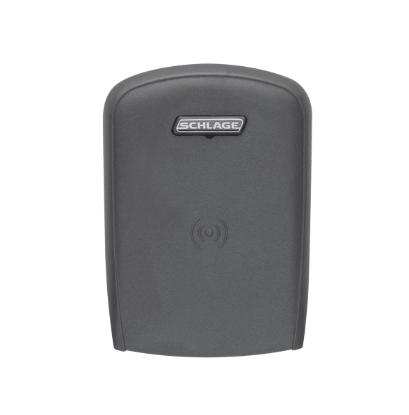
So a modern proximity or smart card reader is almost never a Wiegand card reader. It is a reader of some other technology that outputs its result in Wiegand format.
How Is a 26 Bit Wiegand Number Structured?
One parity bit, eight bits of facility code, sixteen bits of card number, one parity bit. That order, every time.
The facility code identifies the site or the card batch. The card number identifies the individual credential within that facility code. The two parity bits are a simple error check: the first covers the leading half of the message and the second covers the trailing half.
Why does a card show two numbers on it?
Because printed credentials often show the facility code and the card number separately, and the controller needs both. Enrolling a card using only the number printed largest on the front is a classic cause of a card that reads but is never recognised.
How Does the Wiegand Interface Send Data?
With pulses on two separate lines. One line carries the zeros, the other carries the ones, and the controller assembles the bits in the order they arrive.
Both lines sit high when nothing is happening. To send a zero the reader briefly pulls the first line low. To send a one it briefly pulls the second line low. Twenty six pulses later, across the two lines, the number is complete.
The important consequence is that the conversation only goes one way. The reader talks, the controller listens, and the controller has no way to ask the reader anything or to confirm it is still there.
What does one way communication cost you?
Supervision. If a Wiegand reader is disconnected, smashed or quietly swapped for another one, the controller does not know. It simply stops receiving data, which looks identical to nobody presenting a card.
Which Wires Does a Wiegand Reader Use?
Four as a minimum: two data lines, a positive supply and a common ground. Most installations add a shield or drain, and many readers have extra conductors for the beeper and the indicator so the controller can give the user feedback.
| Function | Typical colour | Notes |
|---|---|---|
| Data zero | Green | Pulses low to send a binary zero |
| Data one | White | Pulses low to send a binary one |
| Supply positive | Red | Voltage range set by the reader specification |
| Common ground | Black | Must be common with the controller |
| Shield or drain | Bare or foil | Earthed at one end only |
Treat colours as a convention rather than a guarantee, and confirm against the documentation for the specific reader. The ground is the one people get wrong: the reader and the controller have to share a common ground or the data lines have no reference and the reads become intermittent.
How far can a Wiegand reader be from the controller?
The figure usually quoted is around 500 feet, and it is a guideline rather than a hard edge. Cable type, conductor size, the supply voltage and electrical noise along the route all move it. If a reader is right at the limit and behaving unpredictably, distance is a reasonable first suspicion.
What Are the Limits of 26 Bit Wiegand?
Three, and they build on each other.
The number space is small. Sixteen bits of card number is 65,536 values, and eight bits of facility code is 256. A large organisation can exhaust that, and more importantly two unrelated sites can end up holding cards with identical facility code and number.
There is no security in the format. The number travels in the clear along two wires, and anything that can read those wires can capture it and replay it.
And there is no supervision, as above. The controller cannot tell a working reader from a missing one.
| Limit | Practical consequence | When it matters |
|---|---|---|
| 65,536 card numbers | Duplicates across sites are possible | Large estates, shared landlord systems |
| 256 facility codes | Codes get reused between organisations | Multi tenant buildings |
| No encryption | The number can be captured from the cable | Readers on the unsecured side of a door |
| No supervision | A removed reader looks like an idle one | Any high security opening |
| One way only | No reader status, no remote configuration | Large systems with many doors |
Why Do Facility Codes Matter So Much?
Because they are the only thing separating your card population from somebody else's, and there are only 256 of them.
On a single site with one facility code, the system is effectively checking a 16 bit number. If a neighbouring organisation happens to hold the same facility code, a card from their building carries a number your controller may recognise as valid.
That is why larger formats exist. More bits means a bigger number space and a much lower chance of collision, at the cost of needing both ends to agree on the longer format.
Can you mix formats on one system?
Sometimes, if the controller supports multiple formats simultaneously, but it is worth avoiding where you can. A site running several formats is harder to troubleshoot, because a card that does not work might be unenrolled, might be the wrong format, or might be a format the reader is not configured to pass through.
What Is OSDP and Should You Move to It?
OSDP is the open supervised device protocol, and it was designed specifically to fix what Wiegand cannot do.
It runs over a two wire serial connection rather than separate data lines. It is bidirectional, so the controller can query the reader and the reader can report its status. It supports supervision, so a missing reader raises an alarm rather than going quiet. And it supports encryption between reader and controller.
| Wiegand 26 bit | OSDP | |
|---|---|---|
| Direction | Reader to controller only | Both ways |
| Data lines | Two, plus power and ground | Two wire serial, plus power |
| Supervision | None | Supported |
| Encryption | None | Supported |
| Readers per cable run | One | Multiple devices can share the bus |
| Existing panel support | Near universal | Depends on the panel |
The honest answer on migration is that it depends on the panel. Many readers support both, so the reader is rarely the obstacle. The controller and the head end software usually decide whether it is practical.
Does the Reader Technology Change the Wiegand Output?
Not the format, no. A keypad, a magnetic stripe reader and a smart card reader can all present a 26 bit Wiegand message to the same controller input.
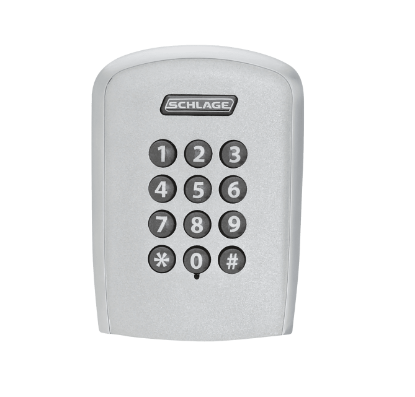
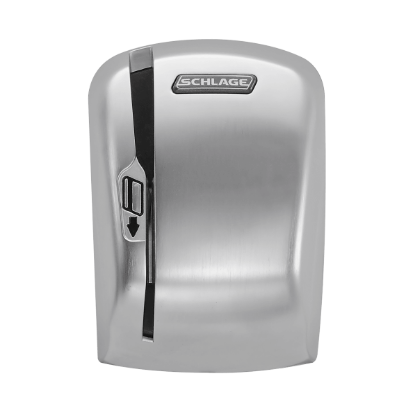
Where both a card and a code are needed, a combined module handles the two inputs and sends the result on the same interface.
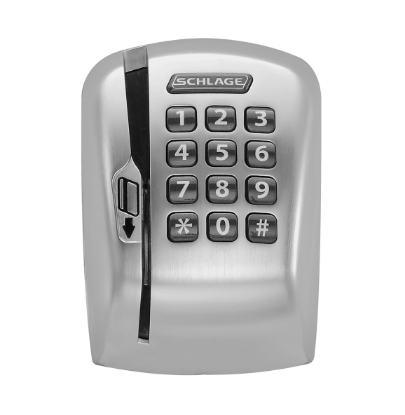
Our proximity card reader guide covers the reader side in detail, including mounting and multi technology options.
Why Do Wiegand Readers Stop Working?
| Symptom | Likely cause | Check |
|---|---|---|
| Reader beeps, controller sees nothing | Data lines swapped, broken or no common ground | Continuity on both data lines and the ground |
| Card reads but is never recognised | Facility code not enrolled, or the wrong format | Enrolled facility code against the card |
| Intermittent reads | Cable distance, noise, or a marginal supply | Voltage at the reader while it operates |
| Works on one door, not another | Different format configured on that reader | Reader configuration, not the card |
| Reader dead, no indicator | Supply, or damage to the cable run | Supply at the reader end of the cable |
| Works intermittently with door position | Wiring crossing into a moving leaf | The power transfer route, not the reader |
That last row catches people regularly. If anything on the door side is wired through the moving leaf, the crossing fatigues long before the devices do. Our electric hinge guide covers it.
What Should You Confirm Before Ordering a Reader?
Six things. The format the controller expects, including the bit count. The credential technologies the site uses now and plans to use. Whether a keypad is required. The mounting position, which decides the physical size. The voltage available at the door. And whether the system is moving to a supervised protocol, because that may change the reader choice today.
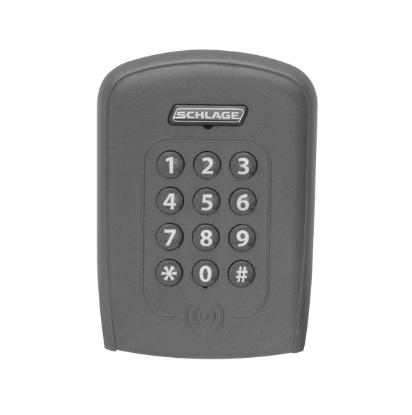
For the wider system, our access control hardware integration guide covers how the reader, lock, door position switch and request to exit device work together, and the request to exit sensor guide covers the exit side.
About the Author
Security Parts has supplied repair parts for commercial door hardware since 2001, covering Von Duprin, LCN, Schlage, Falcon, Detex and Adams Rite at the component level. Our diagram based lookup exists so a technician can confirm a part before ordering it. This guide was written by the Security Parts team from supplier documentation and the questions our customers bring us.
If you know the panel but not which reader module suits it, contact us with the format the controller expects, or browse Schlage replacement parts and the electric strike parts section.